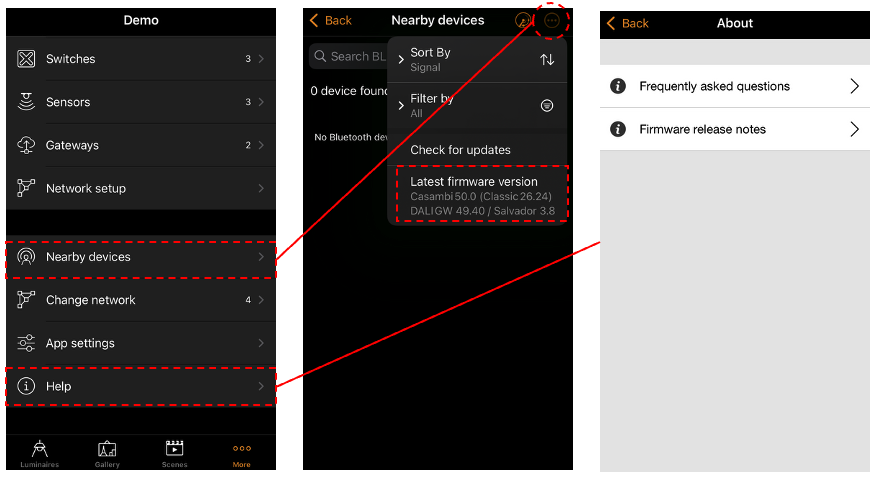
This information can be found in two locations in the app.
A: The Nearby devices view
- Go to the 'More' tab and select 'Nearby Devices'.
- Tap on the 3 dots in the top right to see the latest firmware version.
B: The Help view
- Go to the 'More' tab and select 'Nearby Devices'.
- Tap on 'Help' and select 'Firmware release notes' to see the latest firmware version and read information about the updates included in the release.