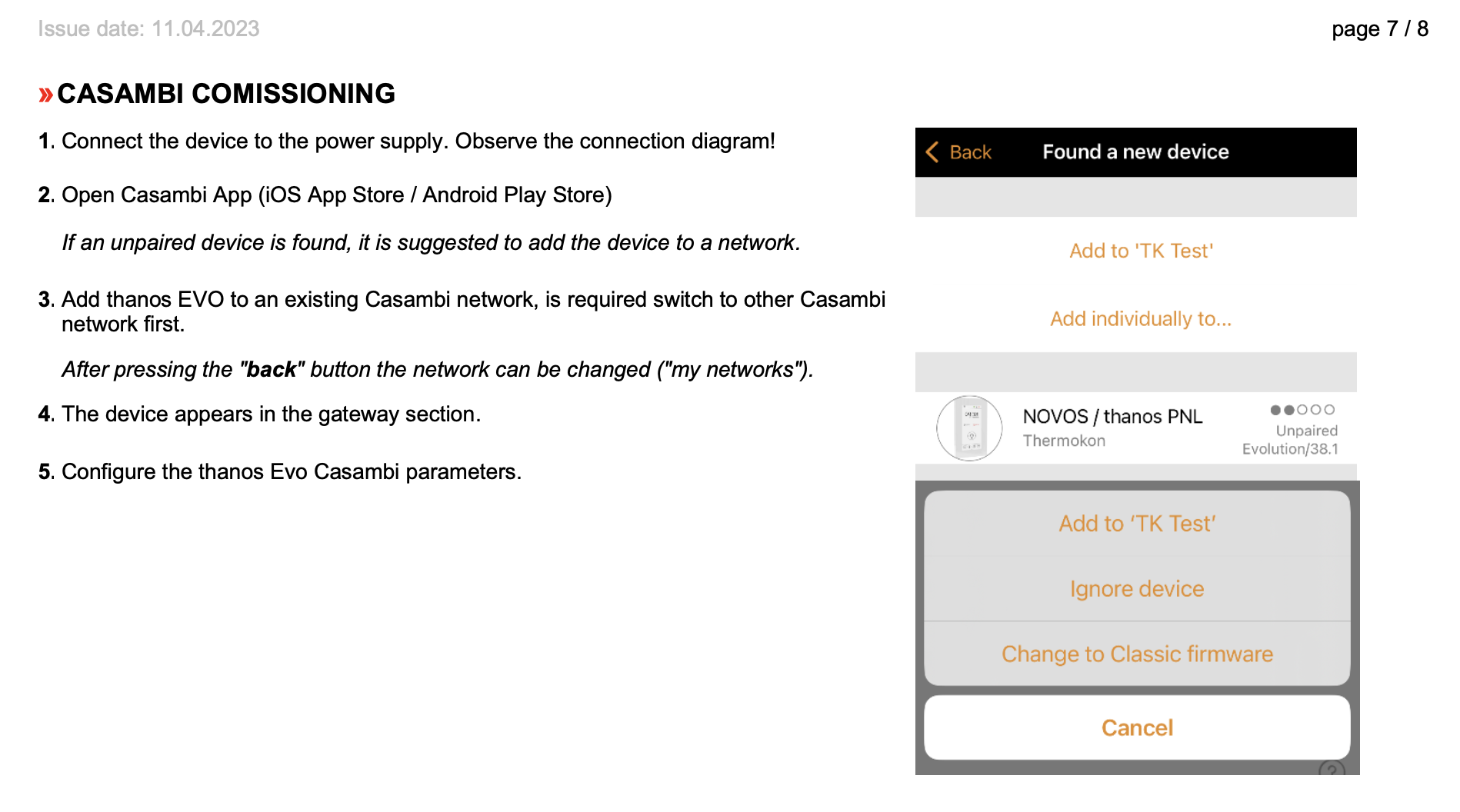
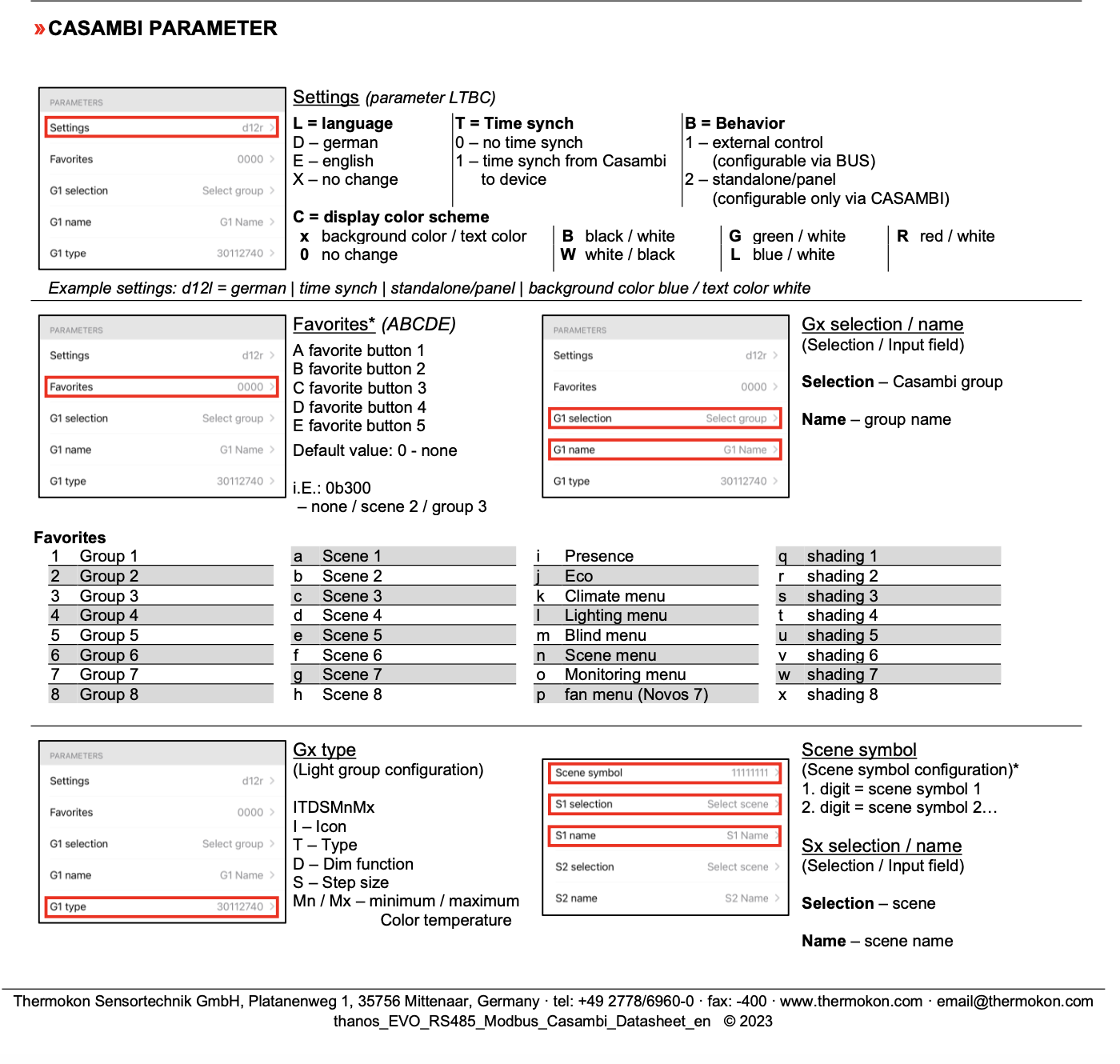
Screenshots below show the setup process for a Thermokon Thanos. Attached is the full manual where you can find more information.
A summary of the steps are:
- Pair Thanos from Nearby devices.
- Find device in Setting-->Gateway
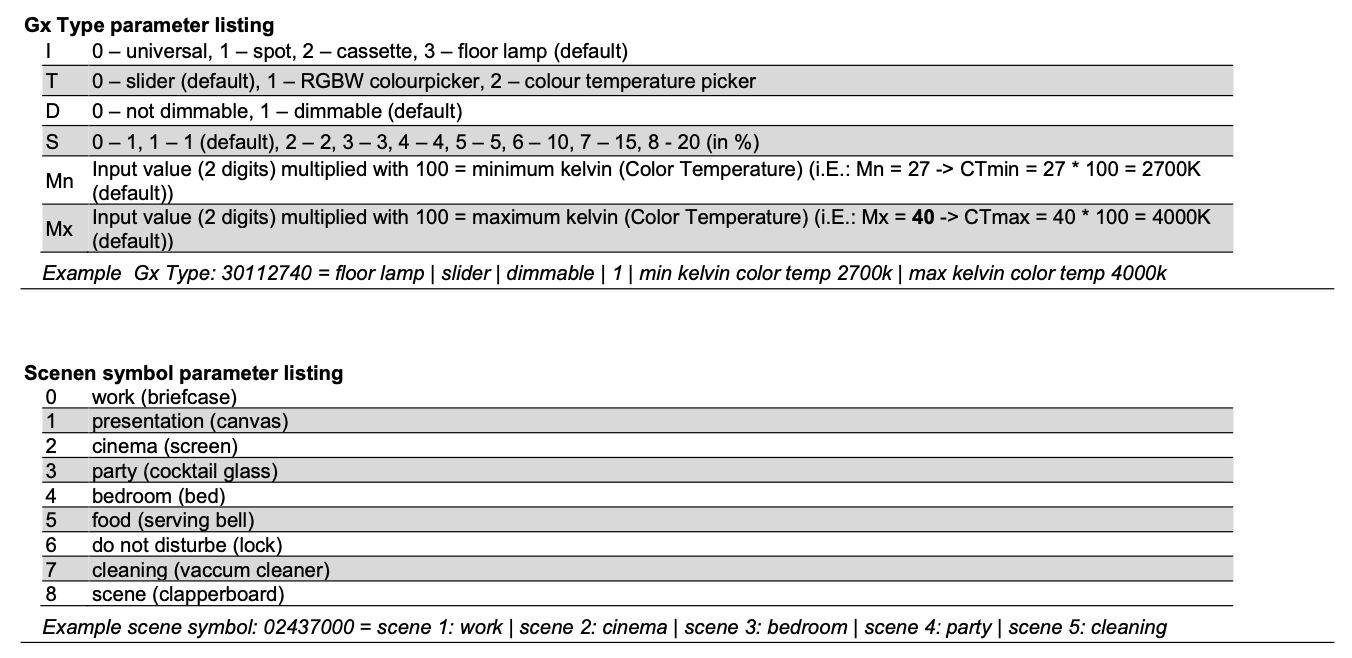
- Assign the groups and scenes to the Thanos, you have to change the name to update it to Thanos.
- Thanos does not copy the name from the casambi app scenes and groups.
- Change 30112740 in groups to 31112740 if you want to change its from dimming slider to RGB Colour wheel option.
- Assign up to four favourite values.