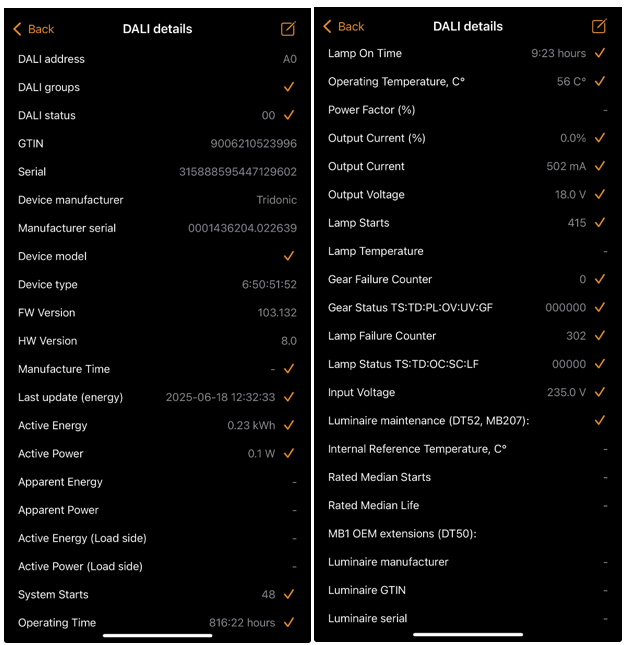
If DALI drivers are being used in a Casambi network and have the capability to transmit DALI data (e.g. D4i drivers), then that DALI data is visible in Casambi app.
Once paired, double tap the device, select "Details" and the available information is shown there.
Example of visible information on Casambi app:
For non-cloud solutions, CBU-DCS acting as DALI Gateway can be used. Its parameter "Exports DALI device data" allows the DALI data to be read and exported. Using a DALI interface/software, this information can be accessed.
Note: DALI Gateway only supports D4i data reading since DALI Gateway FW v44.40
More information about CBU-DCS acting as a DALI Gateway:
https://support.casambi.com/support/solutions/folders/12000022058/page/1
As an alternative, some 3rd party devices may have been designed using our EXTIF-DALI features to retrieve DALI data. If unsure, please contact the 3rd party device manufacturer.